

For groups running several clinics
One clinic's lines ring out at 11 a.m. while another desk is quiet.
Now that desk answers.One clinic's lines ring out. Another desk picks up.
CompanionBooked is multi-location veterinary software for practice groups: one login across every clinic, while each keeps its own number, schedule and booking rules. We build the group's website, run its marketing and send a monthly report.
- Overflow calls go to another clinic
- One login across sites
- A site page per clinic


Live in 14 daysNo contract. No setup fee.
- Every clinic month to month
- Per-site booking
- Shared call overflow
- Reviews by clinic
- Site texts
- Scribe for DVMs
Your group
Four clinics, four setups, no single view of the group
Each clinic you bought came with its own phones, reminder service and website. At 11 a.m. downtown has three lines ringing while the clinic ten minutes away sits quiet. Each manager sends a separate spreadsheet.
With us every clinic keeps its number and schedule under one login. Overflow calls ring a free desk, and our team sends one monthly report: clinic by clinic, then the group total.

- Many logins
- Spreadsheets
- Calls lost downtown
- One login
- Local numbers kept
- One bill
Across sites
Run each clinic its own way, from one login
Each tab shows one product at group scale: what it does inside each clinic, and what you see across all of them when you sign in once.
The day's bookings, by clinic

Choosing a clinic

Booking rules for each clinic
On the group website a pet parent chooses the nearest clinic, and only that clinic's open times show, with its deposit and new-client rules.
Direct Booking pagePhone traffic by clinic

Texted after a miss

Overflow rings the next clinic's desk
When downtown's lines are full, the next call rings the Eastside desk, and Eastside books it into downtown's schedule.
Phones pageEach clinic's star ratings

A pet parent's rating

Stars per clinic
Each clinic's Google profile gets its own review requests, and we reply to each review in that clinic's name.
See reviewsNotes waiting for sign-off

Listening in the exam

Write-ups
A relief DVM works Monday downtown and Thursday at Eastside. At both clinics the scribe hears the appointment, and a SOAP note is waiting to sign by checkout.
SOAP NotesPlan members, all clinics

Signing up for a plan

Monthly plan billing
Members at every clinic pay monthly; a declined card is retried, then the pet parent is texted a payment link.
Each clinic, side by side

The group total

Totals
Our team sends one report each month: every clinic side by side, then the group total.
ReportingEach clinic's own inbox

A clinic's reminder

Three clinics, one ordinary day
Three scenes from a single day across your clinics, and who now handles each.
Three desks covered· You're on the road till 3
Morning· Overflow
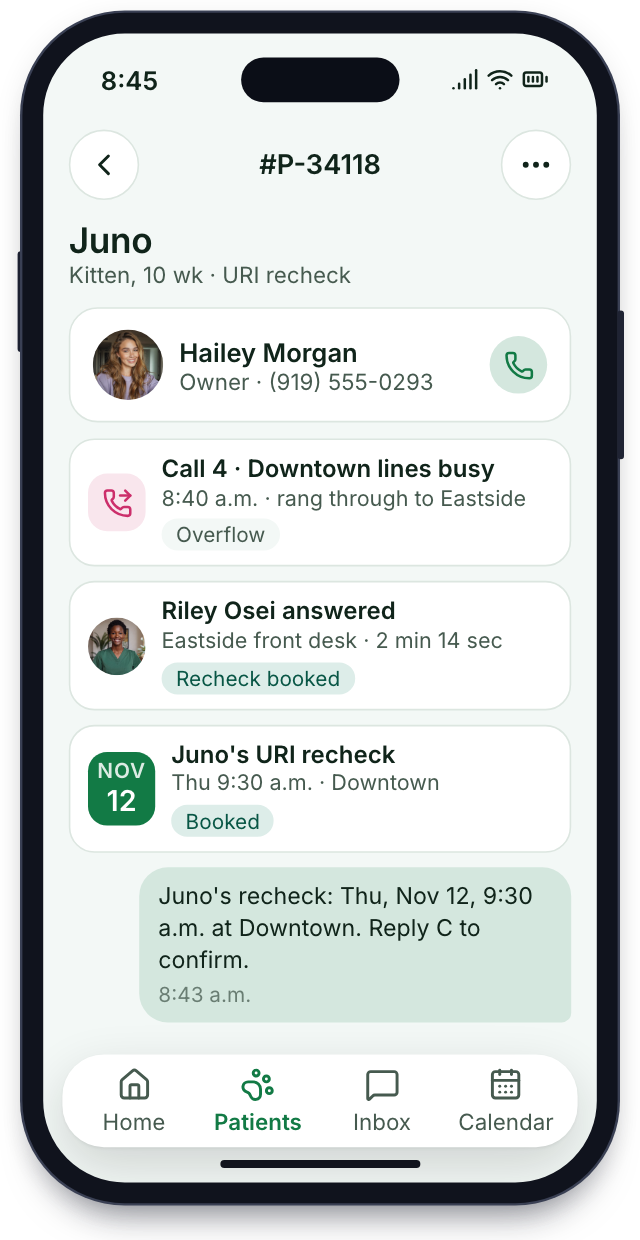
Downtown's fourth call
Downtown's three lines are busy at 8:40 and the waiting room is full. Call four rings through to Eastside, and their CSR books Juno's recheck.
Midday· One site closed
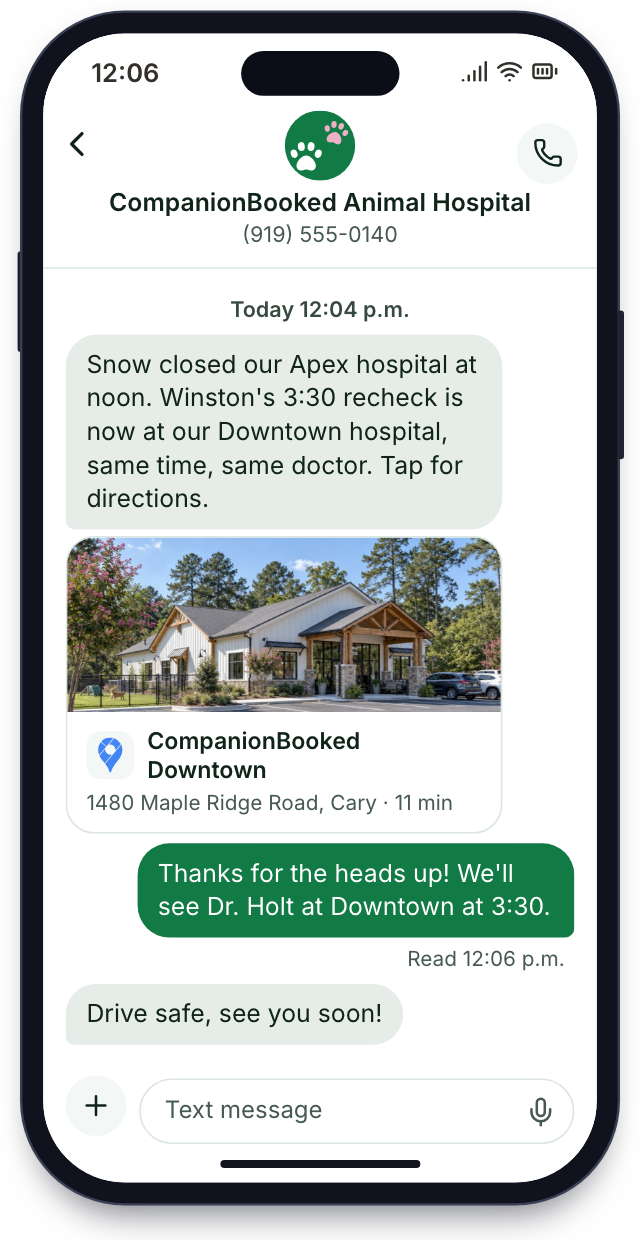
One clinic closes early
Snow closes the Apex clinic at noon. Everyone booked there that afternoon is texted the nearest open clinic.
Evening· Review reply
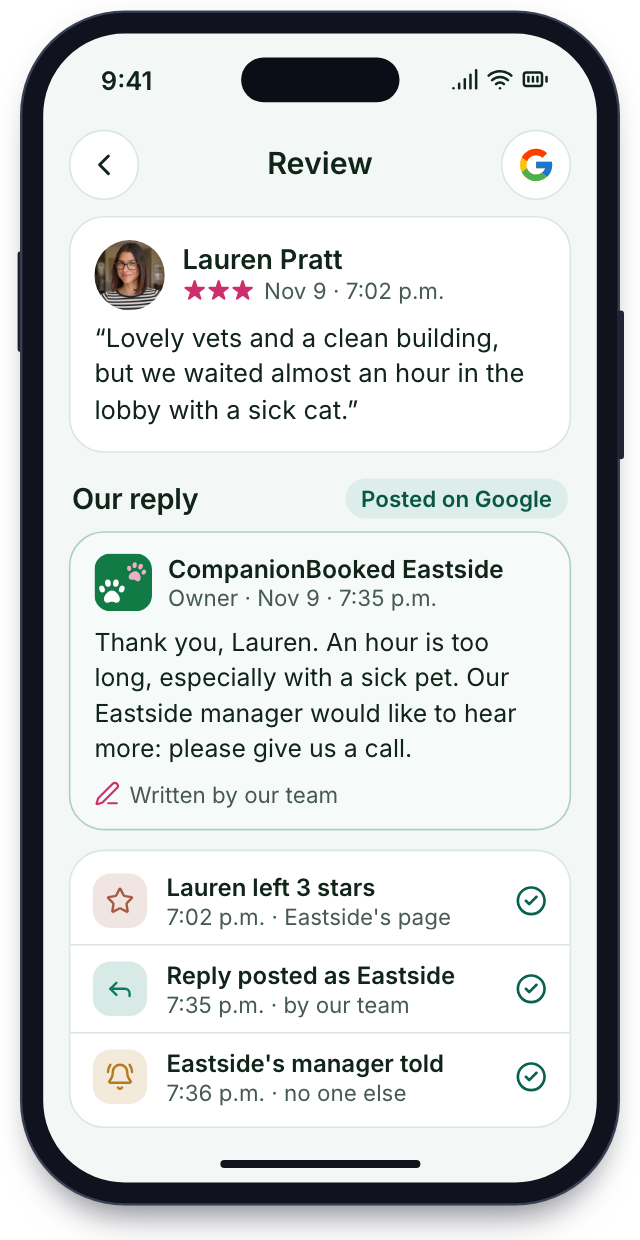
Eastside's review
At 7 p.m. a review on Eastside's profile mentions a long wait. Our reply goes up under Eastside's name, and only Eastside's manager is told.


Setup
Every clinic live in 14 days
One kickoff call covers the whole group. We set up each clinic in turn and train each desk.
Every site mapped
We list each clinic's number, hours, booking rules and PIMS, and who should see which clinic's data.
Day 1one call for the group
Built per clinic
We set up one login, move every clinic's number, build a page for each and connect each clinic to its own PIMS.
Week 1logins, numbers, sites, PIMS
Every desk shown its part
Pet and client records come across one clinic at a time, each kept apart. CSRs at every desk practice passing calls between sites, managers learn the group view, and each DVM tries the scribe.
Week 2each desk and DVM trained
All sites live at once
Every clinic goes live on the same day, and the first group report arrives when that month closes.
Day 14every clinic switched on
Month to month, no contract
Group handover
Live in 14 days
8 of 28 done
1Every site mappedDoneIn progressUp next
- Every clinic's address and hours listed
- Which managers see which sites
- The PIMS at each clinic written down
- Ad spend split by clinic
- Overflow order between clinics set
- Booking rules and deposits for every location noted
2Built per clinicDoneIn progressUp next
- One login built for the group
- A page per clinic on the group site
- Each clinic's number brought over
- Maps pins checked for every address
- Sister-site call routing
- Old sites switched off
- Bookings set to write back into each clinic's PIMS
- Reminder texts signed per clinic
3Every desk shown its partDoneIn progressUp next
- Pet records moved one clinic at a time
- Passing calls practiced by CSRs
- Managers shown the group view
- DVMs ready
- Area managers taught to compare clinics and read the group total
- Review texts set for each Google profile
- Pages signed off by you
4All sites live at onceDoneIn progressUp next
- Group site live, every clinic bookable from its own page
- Phones live everywhere
- Local ads live per city
- Every clinic asking for Google reviews, each answered in its name
- Posting for each site
- Overflow tested
- Totals sent
Bring us every clinic's bills
In 30 minutes we'll lay out what each clinic pays now for phones, reminders, booking, its website and marketing, and what moving the group onto one plan would replace. Month to month, no setup fee, live in 14 days.


From practice groups

Ryan D.Owner, Fenby 14 days flatto add a clinicWe added our third clinic in spring. It was on the same login, with its own number, in two weeks.

Marisol W.CSR, Bayside +40/wkcalls a sister desk picked upWhen our lines are full, the next call rings at our sister clinic and they book it for us.

Desmond N.DVM, Oakmont 2 hrs backon each of my clinic daysI work three clinics a week. The scribe follows me to each one, and my notes are drafted before checkout.

Alana K.Manager, Oaks 1 tabfor 4 clinicsFour clinics used to mean four logins and four spreadsheets. Now I sign in once on Monday.

Rohan S.Head CSR, Linden 5 minto read the whole monthOne report each month lines up our clinics' front desks, and I can see which desk needs training next.

Jamie R.Ops lead, Birch 4.8 avgstars, all sitesEvery clinic's reviews get answered in that clinic's name, and I see each reply.


Group FAQs
What multi-site groups ask
Try login, number or PIMS to see only the answers that fit.
8 questions
Is it made for multisite groups?
Yes, groups of clinics run on one account, and each clinic keeps its own number, schedule, web page and report line.
One login for all sites?
Yes, staff sign in once and switch between the clinics they're allowed to see.
How do we start?
One call maps every clinic, then our team sets them all up: logins, numbers, a page per clinic and each PIMS link. Each desk is trained in week two, and every clinic goes live by day 14.
Keep each clinic's number?
Yes, every clinic keeps its current number, and the group's website lists each clinic on a separate page.
Every location in one report?
Yes, our team's monthly report lists every location's calls, booked appointments and new clients beside the group total.
Do clinics need one PIMS?
No, each clinic keeps its own PIMS and we sync each one.
Can we add a clinic?
Yes, a new clinic is live in 14 days.
Setup fee per clinic?
No, there's no setup fee at any clinic.
Groups search for
Something else?
Tell us how many clinics you run and which PIMS each uses; Dana answers from sales@companionbooked.com.
Dana WhitfieldAccount manager
Request a demo