

Products for veterinary practices
Tomorrow's reminder calls go out as texts before 9 a.m.,
each naming the pet that's due.Reminder calls, sent as texts naming the pet that's due.
CompanionBooked is veterinary software for US vet practices: texting, phones, online booking, payments and reports, which our team sets up for you. Reminders follow due dates in your PIMS, so a two-dog home gets one text naming both.
- Both dogs named in one reminder
- Calls answered at lunch
- Bookings land in your PIMS


Live in 14 daysNo contract. No setup fee.
- Reads and writes your PIMS
- Online booking
- Your number stays
- Review requests
- Web chat
- AI scribe notes
How it fits
Your desk software, your site and your ads, run as one plan
At 9 a.m. your CSR starts phoning tomorrow's appointments between checkouts, and the ones who miss the call ring back at 11. Meanwhile a two-dog household gets a reminder for the shot Bella had last month.
Here the software shares one client and pet list with the website we make and the ads we run. Each reminder, booking and review request knows which pet it's about.

- Phone tag
- Voicemail
- Five vendor bills
- One login
- Your own number
- One bill
Every product
Every tool, at the desk and on your phone
Pick a product to see the screen your CSRs use and the phone view a DVM or pet parent sees. Every tab links to a page with more detail.
Your schedule at the desk

The pet parent's phone

Direct Booking, open all night
A new pet parent books at 9 p.m. from your site or Google Maps. Booking rules keep a sick pet out of a vaccine slot.
See Direct BookingCalls and texts at the desk

The staff phone app

Phones that keep your practice number
During the 8 a.m. rush, a call nobody can take gets an instant text reply on your practice line. Voicemails arrive written out.
Explore PhonesYour reviews dashboard

Replied in your name

Google reviews
Google reviews are answered by our team in your practice's name, and a low score goes straight to your manager.
See ReviewsThe draft note for review

Recording in the room

SOAP note
The DVM talks through the exam as usual. The AI scribe writes the SOAP note, and the DVM checks and signs it before the next appointment.
See SOAP NotesPlans and invoices at the desk

Paying from the text

Pay links and plans
Pet parents pay by tapping a texted link. Wellness plans bill monthly, and a failed card gets retried with a reminder.
The results dashboard

The owner's view

Results
New clients and calls traced to each ad, plus no-shows, in a report we send monthly.
See ReportingThe shared inbox at the desk

The reminder text

What pet parents see on their phone
Three moments from one day at a practice on the plan, each on a pet parent's phone.
4 bookings since close· Practice reopens at 8 a.m.
At 12:30· Lunch hour
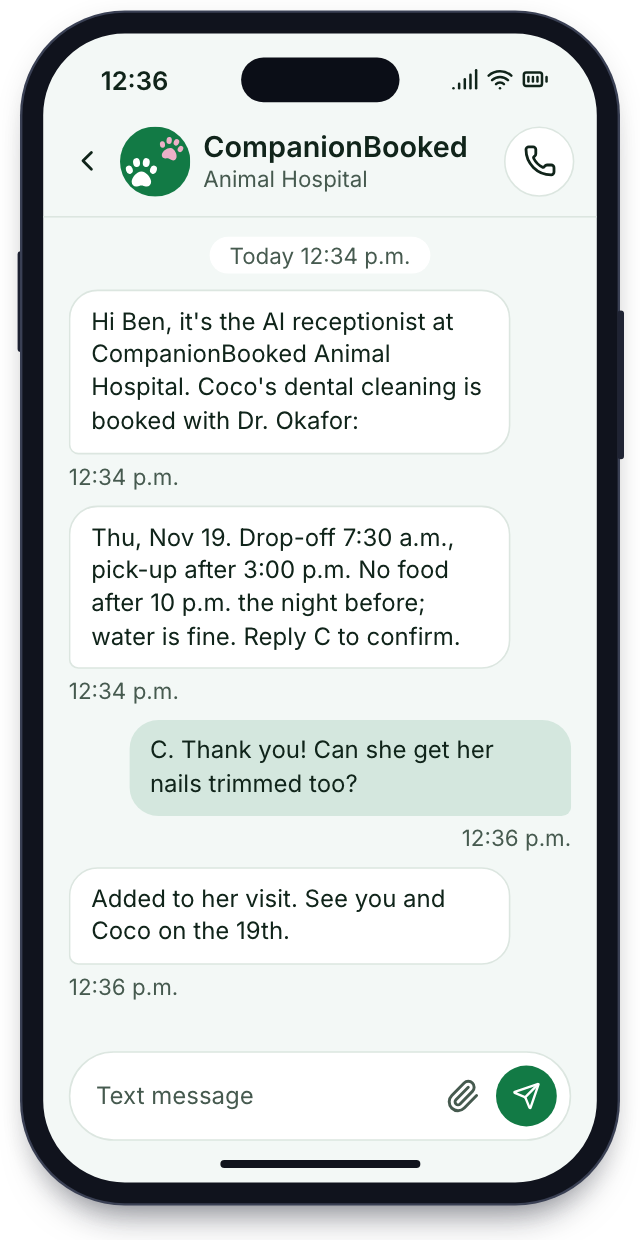
AI Receptionist
Your CSRs are at lunch and Coco's family rings to book a dental. The AI receptionist answers, finds a time and texts it from your practice number.
9 p.m.· Refill request
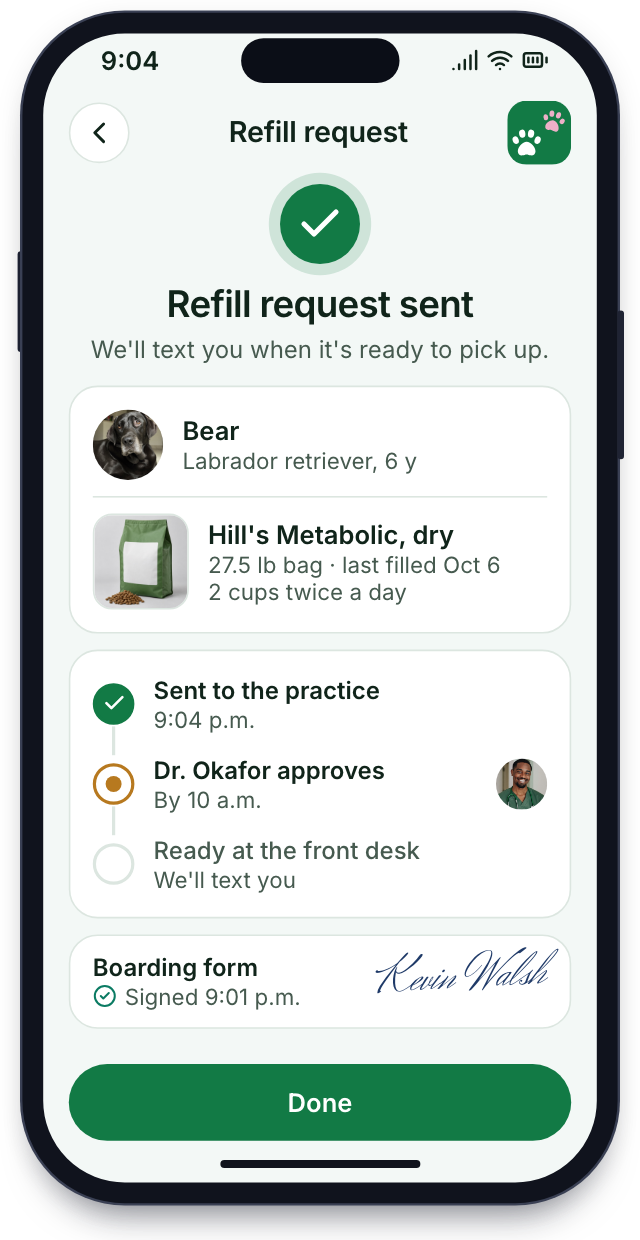
Pet Parent App & Portal
After dinner, a pet parent opens your app, signs the intake form and asks for a food refill for the DVM to okay.
Next day· Google review
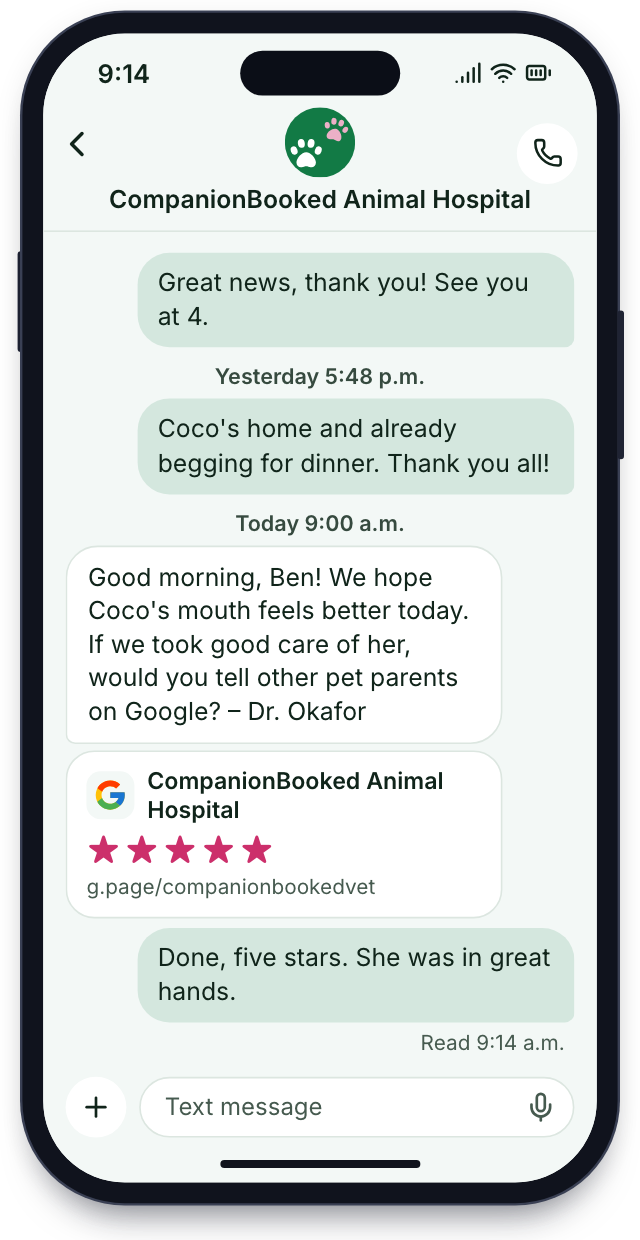
Review request
The morning after Coco's dental, a short text asks for a Google review, with the link ready to tap.


Setup
Up and running by day 14
The setup work is ours. You give us a few calls and tell us how your practice likes things done.
One short call
We learn your appointment types, phone lines, reminder schedule and the PIMS you run, in half an hour.
Day 1appointment types mapped
Built for you
We bring your practice number over, connect your PIMS and write every reminder, form and phone-tree message.
Week 1your number and texts set up
Your client and pet list
Every client comes over with their pets grouped by household, so Bella and Max share one reminder text. Then we train your CSRs, techs and manager on the inbox, booking rules and phone app.
Week 2households moved, team shown
Phones and texts go live
Calls ring through us and the first reminders go out. From then on, a monthly call covers the results.
Day 14phones and reminders running
No contractNo setup fee
Your 14-day setup
Live in 14 days
8 of 28 done
1One short callDoneIn progressUp next
- Hours and visit types for each DVM
- Phone lines and ring order mapped
- Reminder schedule for each vaccine
- Booking rules agreed
- Emergency words and ER chosen
- Your PIMS, current vendors and contract dates noted
2Built for youDoneIn progressUp next
- Practice number moving to us
- PIMS connected for sync and write-back
- Reply for missed rings
- Phone tree written and recorded
- New-client and surgery forms
- Spanish texts drafted
- Due-date reminders written for vaccines, dentals and heartworm tests
- Pay links and wellness plans set up
3Your client and pet listDoneIn progressUp next
- Client and pet list imported by household
- Lapsed-client list pulled out
- Staff app on every phone
- CSRs shown
- Techs shown pickup texts and DVMs shown the AI scribe in an exam
- Manager walked through the dashboard
- Test texts sent to you
4Phones and texts go liveDoneIn progressUp next
- Calls ring through us on your number from the first morning
- First reminders out
- Web booking switched on
- Book online added to your Google profile so Maps searchers can book
- Review texts start
- AI on the lines
- First review
Show us tomorrow's list
Walk us through tomorrow's appointments in half an hour, and we'll show the reminder each household would get and the booking page we'd build. Month to month, no setup fee, live in 14 days.


What changed first

Ryan D.Owner, Fenby 1 billinstead of fourWe had four vendors and four logins. Now reminders, phones and booking share one pet list.

Marisol W.CSR, Bayside 2 hoursof calls gone each morningThe 9 a.m. reminder calls took half my morning. Now texts go out at 8 and people reply to book.

Desmond N.DVM, Oakmont 0 mixed uphousehold remindersReminders follow our PIMS now. Nobody gets a booster reminder for a shot we gave last month.

Alana K.Manager, Oaks +38%new clients from GoogleI open one report and see which ad sent each new client, and what they spent.

Rohan S.Head CSR, Linden Half the waitat checkoutPet parents pay from a text before they reach the car. The checkout line at our counter is gone.

Jamie R.Ops lead, Birch 6:15 p.m.out the door nowOur DVMs sign each SOAP note before the next pet now, so the whole team locks up by 6:15.


Product FAQs
Before you compare software
Type phones, PIMS or setup and only matching questions stay.
8 questions
What comes with it besides the PIMS?
Besides the PIMS, you get texting and reminders, phones, online booking, payments, reports, AI SOAP notes and an app in your practice's name.
Does our PIMS stay?
Yes. Your PIMS stays put, and bookings, reminders and messages sync to it.
Moving our list?
Our team moves it for you, with each pet grouped under its household and nothing changed in your PIMS. Setup, moving your client and pet list over and training your team are part of the plan.
Is there hardware to buy?
No hardware to buy. Calls ring the desk phones and computers you have now, on your current number.
Do techs and DVMs get the app too?
Yes. CSRs, techs, DVMs and managers each get a login, and the staff app runs on iPhone and Android.
How is this different?
Your website and marketing come with it, run by our team.
Is it month to month?
Yes. There's no contract; it's month to month.
What's the price?
We go over pricing on a 30-minute call.
Practices ask about
Still comparing?
Write to sales@companionbooked.com with what you're weighing up, and Dana will answer in plain words.
Dana WhitfieldAccount manager
Request a demo